| Understanding Series |
Understanding FrontPage Server Extensions (FPSE)
Topic status automatically displays here - do not remove.
 Bookmark this topic
 Print this topic
FrontPage Server Extensions (FPSE) have outlived their practical usefulness, as described in this topic by Robert McMurray, the chief architect of FPSE itself. The alternative methodologies behave differently, and require a different implementation. However, FPSE remains embedded in the Microsoft (MS) Expression Web (EW) replacement for FrontPage (FP), allowing limited backward compatibility for the maintenance of websites created using FP with FPSE functionality.
According to Microsoft IIS learning website:
A Brief Description of FPSE and WebDAV
One of the great things about the FrontPage Server Extensions from their original concept was their vision. When the FrontPage development team first envisioned a client-independent way of publishing content between disparate servers, technologies like WebDAV were still unheard of. By installing FPSE and using the FrontPage client, it became possible to seamlessly publish content from a Windows web server to a UNIX web server (or vice-versa) with full feature parity between the two systems. In its original presentation FPSE was implemented using the Common Gateway Interface (CGI), although it was later implemented for IIS through ISAPI.
In addition to publishing functionality, FrontPage and FPSE also provided a variety of additional functionality through what were affectionately called "bots". These were subdivided into two categories: save-time bots and browse-time bots. Save-time bots were functionality that could be added to web pages when authoring that provided auto-generation of content, such as included content and tables of contents. Browse-time bots were designed to replace common CGI-based features, such as processing form-results. While these features offered web developers a plethora of functionality, they were also proprietary in nature and as such, industry adoption was limited.
Over the past several years Microsoft web authoring tools have moved away from bots: save-time bots are often replaced with other features, and browse-time bots are most often replaced by other dynamic features like ASP.NET or PHP applications. This leaves the remaining feature that FPSE provides as content publishing. That said, in July of 2006 Microsoft Office XP passed out of mainstream support, (Office 2000 was already out of mainstream support), and therefore FPSE was discontinued as a separate download. FPSE is still available and supported as a pre-installed Windows component in Windows Server® 2003, and recently Microsoft and Ready-to-Run Software released a version of FPSE for Windows Server 2008 and Windows Vista. However, Microsoft web authoring tools are moving away from FPSE the publishing protocol of choice, which is where WebDAV enters the picture.
WebDAV stands for Web Distributed Authoring and Versioning, and it is an open-standard extension to HTTP that adds functionality in order to provide Internet-based web publishing without using a CGI-based or ISAPI-based protocol extension like FPSE. WebDAV has been in use for ten years now, and industry adoption is steadily growing. Windows now offers a great built-in WebDAV redirector that allows users to map drives to WebDAV-enabled web sites, therefore turning the Internet into an extension of your local network and delivering on the promise of seamlessly publishing content between disparate servers.
A detailed examination of all of the files and folders in an FPSE-based web site is available in the Upgrade issues with FrontPage Server Extensions white paper on the Microsoft IIS.NET web site. We examine several of the relevant FPSE folders in order to create request filtering rules later.
Folder Notes _fpclass Should contain publicly-available FrontPage code - but should be secured. _private The FrontPage Server Extensions often keep sensitive data files in this folder, so it should be secured to prevent browsing. _vti_bin This is the virtual directory for the FrontPage Server Extensions executables. This path is configured to allow executables to function, and since we are migrating sites to WebDAV it should be secured to prevent browsing. _vti_cnf The FrontPage Server Extensions keep sensitive metadata files in this folder, so it should be deleted or secured to prevent browsing. _vti_log The FrontPage Server Extensions keep author logs in this folder, so it should be deleted or secured to prevent browsing. _vti_pvt This folder holds several files that contain various metadata for your web site, and should be secured. _vti_txt This folder contains the text indices and catalogs for the older FrontPage WAIS search. Since later versions of FrontPage only used Index Server, it is safe to delete this folder, but at the very least it should be secured to prevent browsing. fpdb FrontPage keeps databases in this folder, so it should be secured to prevent browsing.
For a full list of FPSE components, see the MSDN knowledge base article #281532:
http://support.microsoft.com/kb/281532/
Lists of components in FrontPage 2002 that require FrontPage 2002 Server Extensions
Some components in Microsoft FrontPage 2002 require that the FrontPage 2002 Server Extensions be installed on the server to which your Web is published. This article lists the components that require the FrontPage 2002 Server Extensions.
FrontPage 2002 Server Extensions Components
The following components require the FrontPage 2002 Server Extensions:| • | File Upload |
| • | Custom link bars |
| • | Shared border background properties |
| • | Usage analysis reports |
| • | Top Ten List Web Component |
| • | New security features (user roles) |
FrontPage 2000 Server Extensions Components
The following components require FrontPage 2000 Server Extensions or later:| • | Nested subwebs |
| • | Lightweight Source Control (document check-in/check-out without Microsoft Visual SourceSafe for Windows) |
| • | Categories component |
| • | StyleSheet links to multiple files or Active Server Pages (ASP) files |
FrontPage Server Extensions Components
Additionally, the following components require at least an earlier version of the FrontPage Server Extensions:| • | Confirmation field |
| • | Discussion form handler |
| • | FrontPage-created server-side image maps |
| • | Hit counter |
| • | Registration form handler |
| • | Save Results form handler |
| • | Search form |
| • | Field set |
FPSE availability
According to Microsoft IIS blog by Robert McMurray dated Feb 2007:
The FrontPage Server Extensions (FPSE) 2002 are part of the Office XP system of products. The Office XP system, including FPSE 2002, left mainstream support on July 11th, 2005, according to the Office lifecycle policy. At that time, the FrontPage Server Extensions were removed from the Microsoft Download Center. Office policy is to remove software from the Download Center that is no longer supported. This policy allows us to focus our support efforts on the latest technologies. FPSE 2002 continues to be available on Windows Server 2003 in the Add Windows Components section of the Add/Remove Programs control panel.
As most people that have installed IIS 7 on Windows Vista or Windows codenamed "Longhorn" have realized, there are no options to install the FrontPage Server Extensions, leaving the only possibly way to edit your web site that is hosted on a Vista/Longhorn computer is to edit the web site locally using the file system, or to use FTP to upload your files to a remote Vista/Longhorn computer.
Subsequently in April 2007:
I'm happy to announce that Microsoft and Ready to Run Software have released the first beta version of the Microsoft FrontPage 2002 Server Extensions (FPSE 2002) for Windows Server Code Name "Longhorn" and Windows Vista. This version of FPSE 2002 will enable web hosters and developers to author their web content on servers or workstations that are running IIS 7.0 on Windows Server Code Name "Longhorn" and Windows Vista.
At the time of writing, the latest version available for download is at the IIS Download Center:
http://www.iis.net/downloads/default.aspx?tabid=34&g=6&i=1630
Robert McMurray's blog dated April 2008 revealed his long and involved history with FPSE:
In late 1995, Microsoft bought a little-known Massachusetts-based company named Vermeer Technologies, Inc., which really only had one product: FrontPage 1.0. (Incidentally, that's where all of those _vti_nnn folders that FPSE uses come from: the "vti" stands for Vermeer Technologies, Inc.) The product was quickly transitioned into the Microsoft array of Office products, and Microsoft realized that they needed someone to support it. With that in mind, four of my coworkers and I started a FrontPage support team in Microsoft's Product Support Services (PSS) organization. The following photo shows what the five of us looked like "way back when..."
Note: My hair is much shorter now. <grin>

The First Microsoft FrontPage Version
Back then we supported both the FrontPage client and FPSE. Two coworkers specialized on what was then a small array of Windows-based servers (WebSite, Netscape, etc.), while another coworker and I specialized on the wider array of Unix-based servers, (NCSA, CERN, Netscape, Apache, etc.) At first FPSE was 100% CGI-based, but Microsoft soon released Internet Information Services (IIS) 1.0 for Windows NT Server 3.51 and we provided an ISAPI version of FPSE when FrontPage 1.1 was released in early 1996. In either case, FPSE was often somewhat difficult to configure, so a couple of my coworkers and I used to spend our free time searching the Internet looking for servers that were using FPSE incorrectly, then we would call them and offer to help fix their web sites for free. (Support was different back then, wasn't it? <grin>)


FrontPage Gains Popularity
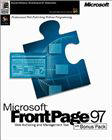
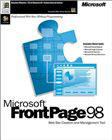
Industry acceptance for FrontPage and FPSE grew rapidly through the releases of FrontPage 97 and FrontPage 98. During that same time period Microsoft released IIS 2.0 through IIS 4.0 for Windows NT Server 4.0, where I switched from supporting the FrontPage client and refocused my career to work exclusively with FPSE and IIS. Over a short period of time a couple of coworkers and I became the escalation point for all the really difficult FPSE cases - so chances are good that if you were using FPSE back then and you had a problem then one us us probably helped you fix it. Sometime around this period Microsoft decided to scrap internal development for the Unix version of FPSE, so Microsoft contracted Ready-to-Run Software, Inc., to port FPSE to Unix.

FrontPage Grows Up
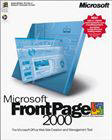
The next couple of years saw the releases of FrontPage 2000, FrontPage 2002, and FrontPage 2003, where FrontPage did its best to move away from a simple web authoring tool into more of a feature-rich developer tool. During that same time period Microsoft released IIS 5.0 for Windows Server 2000 and IIS 6.0 for Windows Server 2003. Through all of these releases I slowly transitioned from an escalation team member to writing content, where I wrote or edited hundreds of Knowledge Base articles about FPSE and IIS for Microsoft's support web site. I also worked extensively with several members of the IIS product team in order to get some much-needed changes into FTP and WebDAV.
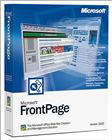
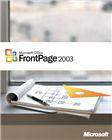
What was interesting about the release of FrontPage 2003 is that Microsoft did not release a version of FPSE to coincide with that release. This decision was based on the fact that the product team that was responsible for FPSE was also responsible for SharePoint, and they decided to drop FPSE as a separate product in favor of SharePoint. What this meant to FPSE end users was - FPSE was being slowly phased out in favor of SharePoint, or in favor of competing publishing technologies like WebDAV or FTP.
The End of FrontPage
After the release of IIS 6.0 I accepted a position as an SDK writer on the IIS User Education team, and a short time later I found out that the Product Unit Manager for IIS, Bill Staples, was looking for someone to take over web publishing in IIS 7.0 on Windows Server 2008. Bill and I had already had several discussions on the subject so I volunteered for the position, and for the last few years my life has been happily consumed with shipping FPSE, FTP, and WebDAV for Windows Server 2008.
During this same time period, however, Microsoft ended the line of FrontPage products; the team responsible for the FrontPage client splintered into the groups that now make the SharePoint Designer and Expression Web products, and the FPSE product team was now focusing exclusively on SharePoint. This situation meant that no one that worked on FPSE in the past was available to work on a new version for Windows Vista or Windows Server 2008, which left FPSE users in a predicament if they wanted to upgrade their operating systems. With this in mind, the IIS product team decided to contract Ready-to-Run Software, Inc. again in order to port the Windows version of FPSE to Windows Vista and Windows Server 2008. Even then, though, FPSE's days are numbered.
In a follow-up blog on 6 May 2008, Robert McMurray stated:
When FrontPage and FPSE were first released, the marketing slogan surrounding FrontPage was "Professional Web Site Publishing without Programming".
What are FrontPage "Bots"?
The way that FrontPage and FPSE delivered on that promise was through the use of FrontPage "Bots", which were later renamed as "Web Components". These can be subdivided into two main categories:
- Author-time Bots/Components: These were features that were used to automate authoring features and did not require FPSE. These features included functionality such as substitution fields, included pages, automatic table of contents generation, navigation bars, etc.
- Run-time Bots/Components: These were features that were designed to run interactively on a server through the use of FPSE. These features included functionality such as form processing, hit counters, threaded discussion groups, etc.
The great thing about bots was - they enabled the average user to create dynamic web sites without any programming skills or knowledge of technologies like CGI, ISAPI, ASP, PHP, etc.
But bots were both a blessing and a curse. Over the past twelve years I have seen an enormous number of FPSE bot failures, which has usually resulted in the ubiquitous phrase, "My FPSE site is broken." If you're curious about how prevalent this situation is, do a quick search on the phrase "FrontPage Save Results Component" - you should see tens of thousands of web pages, each of which having a web form that should be using FPSE but can't because it's "broken".
The End of the Road for FrontPage "Bots"
Microsoft’s currently line of web authoring tools, including Microsoft Visual Studio and Microsoft Expression Web Designer, do not support Author-time Bots/Components, although these tools may provide alternate web authoring functionality that replaces some of these features. When mainstream support for FrontPage 2003 ends in 2009, existing FrontPage-based Author-time Bots/Components will cease to be supported.
When mainstream support for the FrontPage Server Extensions ends in 2010, support for the FrontPage-based Run-time Bots/Components will likewise end. Much of the functionality provided by the Run-time Bots/Components can be provided through web applications using technologies such as ASP.NET, Classic ASP, PHP, etc.
For information about what kinds of "bot-like" features will be available in the upcoming Microsoft web authoring tools, check out the following team blogs:
Robert wrapped-up with this summary:
The problem with FPSE is that it was a proprietary “RPC over HTTP” solution to web publishing that was owned exclusively by Microsoft. As a bit of history, when FPSE was invented, the only real alternative was FTP. When FPSE came along in 1995 it provided an HTTP-based method of delivering content, but since it was proprietary only a handful of clients ever supported FPSE, and the bulk of those were Microsoft’s web authoring tools. Once you ventured away from Microsoft’s tools you were usually limited to FTP again.
FPSE in Expression Web
Microsoft (MS) Expression Web (EW)—the replacement for FrontPage (FP)—makes no mention of FrontPage Server Extensions (FPSE) at all.
EW help describes the (FPSE) metadata as "Website Meta Data":
Expression Web Help on Website Meta Data
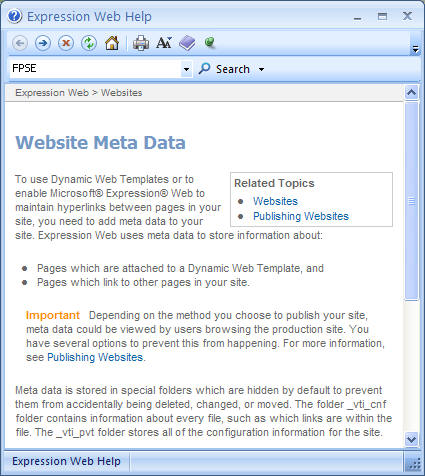
Meta data is stored in special folders which are hidden by default to prevent them from accidentally being deleted, changed, or moved. The folder _vti_cnf folder contains information about every file, such as which links are within the file. The _vti_pvt folder stores all of the configuration information for the site.
Removing FPSE from your local (development) site
To remove metadata from your site
- On the Site menu, click Site Settings.
- In the Site Settings dialog box, on the General tab, clear Manage the Web site using hidden metadata files.
If you've already removed FPSE from a web site and you chose the "Uninstall" option, you can remove the _vti_nnn folders from your site by saving the following batch file as "_vti_rmv.cmd" in the root folder of the site and then running it:
dir /ad /b /s _vti_???>_vti_rmv.txt
for /f "delims=;" %%i in (_vti_rmv.txt) do rd /q /s "%%i"
del _vti_rmv.txt
FPSE will no longer be able to access any of the metadata that defined your web site. Any content stored in folders like _private, fpdb, _overlay, etc., will all be preserved.
References
http://learn.iis.net/page.aspx/359/how-to-migrate-fpse-sites-to-webdav/
http://blogs.iis.net/davcox/archive/2006/9/5/1390085.aspx
http://blogs.msdn.com/robert_mcmurray/archive/2008/04/17/life-after-fpse-part-1.aspx
See Also
 Lotech Solutions' Tips,
Tricks, and Procedures
Lotech Solutions' Tips,
Tricks, and Procedures

 email webmaster
© Copyright Lotech Solutions. All rights reserved.